Showing posts with label Videos. Show all posts

Monday, March 26, 2012

Extreme Make-Over–Take 2: Cincinnati Housing Partners Increase Efficiency

Well, Microsoft and HP are at it once again, performing an extreme make-over of a not-for-profit company.  In this case they are helping lower income families get their first home, Cincinnati Housing Partners.  Once again, Microsoft came together with HP lots of awesome technology including Windows Small Business Server 2011 Essentials running on an HP Proliant Microserver and Windows MultiPoint Server running on an HP ML110. as well as some other great hardware from HP (Printers and UPS devices!). 

Check out the video:

Find the Official HP Blog post here, and the Case Study here.

If you were wondering for previous Extreme Makeovers, you can see the first one here.

Learn more about Kevin Royalty and his company here.

Friday, September 16, 2011

HP/Microsoft do an Extreme Make-Over of a Not For Profit Organization

Earlier this year, I had the pleasure to be able to participate in a very heart warming story.  Families For Effective Autism Treatment of Washington (or FEAT WA), was the first winner of the HP & Microsoft Extreme technical make-over.  FEAT really does a lot of work for children with autism, and were struggling with their hobbled together IT infrastructure. 

Microsoft and HP came together to set up the IT Infrastructure backbone running Microsoft Windows Small Business Server 2011 Essentials on a maxed out HP ProLiant MicroServer. And for the children and office workers, Microsoft Windows MultiPoint Server 2011 Premium on an HP ML 110 G7; to be connected to with the HP t5749e thing clients and HP EliteBook 8460p Notebooks. HP also improved their networking infrastructure with the HP ProCurve 1810G-24 switch.

It was so awesome to meet and help out Brenne and Amanda at FEAT of WA to do their job and help children with autism.  Check out the video:

Thursday, June 16, 2011

SMB MVP Community Roadshow

HP and Microsoft have joined together with our Most Valuable Professionals (MVPs) to visit 66 cities in Canada, Australia, Europe and of course the United States.  They are touting it as a real-world experience and advice talk by the MVPs who live and breath the product ever day.  No marketing talk!

Kevin and Dana give it to you straight.

Kevin Beares and Dana Epp talk about SMB MVP Community Roadshow

These guys brought down the house in Vancouver, BC tonight.  Tomorrow night they hit up Victoria, BC.  Then are out to talk to you, in the rest of the world!

Register for the roadshow nearest you

Friday, May 20, 2011

Can Small Businesses use Windows MultiPoint Server? Yes, Yes they can!

Yours Truly (Sean Daniel) talking about MultiPoint

Varvid‘s Aaron Booker caught up with influential blogger and Microsoft SBS Program Manager Sean Daniel to discuss how Multipoint‘s traditionally education-focused offering can also work well for small- to medium-sized businesses. Multipoint is big on universal connectivity, emphasizing ease-of-use without the need for much training. To learn more about Multipoint, go to http://microsoft.com/multipoint.

Tuesday, April 12, 2011

A Quick Interview with Harrybbbbb

After the Windows Small Business Server 2011 (Standard and Essentials) Launch in Vancouver, BC, Canada, I managed to catch up with Harry Brelsford from SMBNation. He had a bit of a working vacation up in BC and pinned me down on my way out the door for a quick interview. If you were interested the video is here
The conference had about 100+ SBS'rs that were in attendance and there was lots of good discussions around SBS Standard and SBS Essentials.

Harry covered a few items in his recent newsletter, where I discovered the video talking about
  1. Re-cap of the gotcha's of Migration with SBS, with shout outs to Susan Bradley and Jeff Middleton as key places for help with your migration in the community and,
  2. The use of MultiPoint 2011 in SBS Essentials,
Thanks for the quick interview Harry!

Friday, April 01, 2011

Best of April Fool's Day 2011

Well, I had a post ready for today for WHS 2011, but it's no joke, so I'll save it for Monday... I have enjoyed what Google has done for April Fool's day, and a few other companies too.. I figured I'd post my favourites here. I discovered Google's courtesy of Mashable's best.

I definitely like the GMail Motion as my favourite, are they teamed up with XBOX?

Or perhaps their job posting about becoming a Google Autocompleter

Google also allowed you to search for "Helvetica" or "Comic Sans" and return the search query in that font

Some of my other favourites are Linked-In suggested you might know Dr. Watson, Sherlock Holmes, Robin Hood and other characters. Funny-or-die.com had a "Rebecca Black" only home page. And the online gaming site Destructoid.com re-wrote their entire blog in hand writing. Hulu.com changed their home page back to Netscape 4 style.

And last but not least. ThinkGeek introduced their "Apple Store" set, with optional "line"

Tuesday, March 29, 2011

Windows Small Business Server 2011 Essentials and Intel vPro Add-in

As we announced SBS 2011 Essentials RTM this morning, I thought it would be interesting to also highlight a really cool add-in that allows you to not only view your computers, but if you have the Intel vPro chipset, you can also control power management of your PCs, right from your console with the Intel vPro add-in. This was demonstrated at MMS 2011:


This solution is running on top of Acer's AC100 SBS Solution with the new Intel Xeon processor.

Tuesday, October 26, 2010

SBS Diva talks about not being afraid of the cloud

Susan Bradley talks about how partners shouldn’t be afraid of the cloud, but yet embrace it. Video courtesy of VarVid.

http://varvid.tv/2010/sbs-diva-susan-bradley-shares-her-insight-on-wpc-2010/

Aaron Booker of Varvid had a nice sit-down with Susan Bradley, known as the SBS Diva, at Microsoft’s Worldwide Partner Conference 2010. Susan made a point to emphasize how important it is for VARs to upgrade their SBS Competency in order to stay attractive to customers and hopes that partners will not overreact to some of the comments on the cloud frenzy… Susan and Aaron talked about Aurora, SBS v7, and lots more.

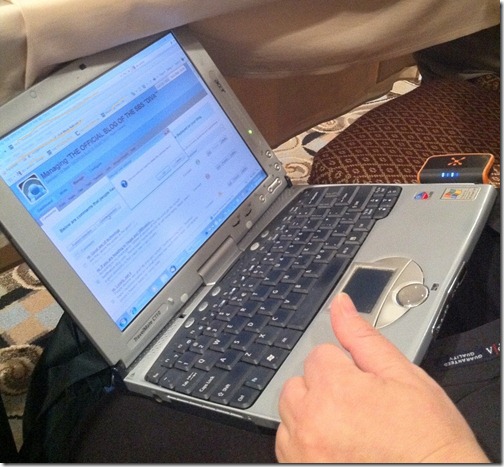
For what it’s worth, Susan updates her blog from a laptop seemingly from the 1920s, an an extinct Cingular wireless card:

photo

Friday, October 08, 2010

Windows Server Codename Aurora–Demo

Yours truly , sitting in my office at Redmond, talk about the differences between “Aurora” and “SBS7” as well as provide a 5 minute demo of Aurora. We’ll be going more in depth at SMBNation, as we have a whole 90 minutes just for Aurora!

To comment on the TechNet Edge video, point your browser here.

You can download the Aurora Tech Preview here.

Tuesday, October 05, 2010

Small Business Server 7–Interview with Björn Levidow

Björn Levidow, Group Program Manager for SBS, tells us about some of the new enhancements in the next version of Windows Small Business Server 2008 (SBS 2008), currently called "SBS 7" for short. You can download the SBS 7 Preview by going to this Connect site.

Full video & comments on Technet Edge.

Thursday, August 19, 2010

Dana Epp – SBS MVP and Security Expert talks about Remote Access and security precautions to take

Dana Epp on Five by 5–Securing Remote Access

Dana covers important topics about what you can do to give your employees remote access, while at the same time ensuring the security to your network is maintained.  Learn more about Dana’s AuthAnvil program at Scorpion Software.

Monday, July 19, 2010

Discovering Windows Server Codename “Aurora”

HP has teamed up with Becky Och’s, one of our Senior Program managers on the team to talk about what’s in Windows Server Codename ”Aurora”, the new cloud integrated version of Small Business Server.  Becky recorded a short video with the HP Coffee Coaching team to get you up to speed.  As with all Coffee Coaching videos, this one is 4 minutes, which makes it a great video to get up to speed on “Aurora” while you’re wolfing down your morning coffee.


Jump into Coffee Coaching and get more great videos from HP and Microsoft on “Aurora” and other Small Business Products: http://www.facebook.com/CoffeeCoaching

Thursday, July 15, 2010

Guy Haycock discusses the SMB Announcements at WPC 2010

Up on VarVid.tv, Aaron managed to get our Product Planner, Guy Haycock, on camera talking about the announcements of “Aurora” and “SBS7”.


Source Video: http://varvid.tv/2010/microsofts-guy-haycock-discusses-the-smb-announcements-at-wpc-2010/#ooid=puNDRrMTrKPQKyx6UJhYGs_eUWh4s8sn

Windows Server Codename “Aurora” Video Walkthrough

Wow, over on WeGotServed, Terry found an awesome video that talks about Aurora from our very own Michael Leworthy, product planner for SBS. He talks about the differences between “SBS7” and “Aurora”, and why you might want Aurora over SBS7


Get Microsoft Silverlight


Source is We Got Served.

Saturday, June 05, 2010

Yours Truly at Worldwide Partner Conference 2009

Hey folks,  I just found this video that I did at Worldwide Partner Conference 2009.  Aaron Booker stopped by the booth with his VarVid camera and captured about 2 minutes of time with me.  I’ve been waiting to see this video, and I guess I just found it.  Pretty late. 

Sean Daniel–Senior Program Manager Windows SBS 2008

Tuesday, January 19, 2010

Get to know Windows Home Server Team Lead: Mark Vayman

Mark is not only a Lead Program Manager on the Windows Home Server team, he works on the drive extender technology and is also my manager!  Mark has been on the Windows Home Server team for close to 4 years.  Mark is a big user of the drive extender technology with an 8TB home server at his house!! That puts my 2TB home server to shame! 

Let’s cut to the interview:

Find the full post over at the Windows Home Server blog.

Tuesday, January 05, 2010

Windows Home Server Remote Access - Understanding ISP Blocking Ports

Oddly enough, over the holiday’s I was working to figure out the remote access for my friend who just recently got a home server.  For all intents and purposes, his router stated the ports were open, yet Home Server would not show that remote access is available.  A quick Bing search lead me to believe from forums that the ISP (Telus in Canada) blocks the required ports for Windows Home Server

Those ports, 80 & 443 used for HTTP and HTTPS access to the server means that you are in a double-NAT environment that your ISP provides for you.  Unfortunately you have no control over the external most NAT device and as a result, remote access won’t work for you.  Here is a video from HomeServerLand that will help you understand this scenario

The options if you find yourself in this situation are:

  • Contact your ISP and see if they will allow these ports through for you.  In many cases, they will, although in this case, Telus required we purchased a monthly static IP address, or a business class DSL line, both rather expensive.
  • Use Home Server on non-standard ports, which is not that easy to do and potentially some of the updates you receive from Microsoft may or may not break this functionality.  Additionally, the ISP may still block these ports.
  • Change ISPs.

Good luck with your ISP, you’ll need it!

Monday, January 04, 2010

Windows Home Server Remote Access - Understanding Double-NAT

Are you having troubles with remote access? Could it be because you have a Double-NAT configuration on your network?  HomeServerLand has a video that explains what a double-NAT is and how you can avoid it. It’s a great 2 minute video that will help you understand this configuration and how to avoid it.

This great video talks about how to determine if you have a double NAT either on your local network, or from your Internet Service Provider.

If you haven’t already, make sure you check out HomeServerLand’s very valuable router configuration support wiki.

Thursday, December 10, 2009