![2487423236_9bc5fbb705_o[1]](https://blogger.googleusercontent.com/img/b/R29vZ2xl/AVvXsEjNIVvBn-9zAGDNHqbhOOhxppAWqzuO753upAKm8Ms9dbL4n7htaVUkFUlRAnOYfdVSKlD6BIu6hABQ5lHNenTM3J1A4_camj3Xd0WrSUui8BkKw7JYOA3ORdtOp9N5Q2bA_3dVPg/?imgmax=800 "2487423236_9bc5fbb705_o[1]")
Have you been wanting to get some hands-on experience with Windows Small Business Server 2008 but weren’t sure how to get started? We have just the thing! Four hands-on-labs for SBS 2008 are available for download from Microsoft Connect: Administration, Managing Clients, Installation, and Migration from SBS 2003. To take advantage of these labs, you will need a test server with at least 4GB of RAM running Microsoft Hyper-V Server or Windows Server 2008 with the Hyper-V role installed.
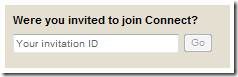
To download the labs, use your Live ID to login to Microsoft Connect, select Connection Directory, and enter the invitation code SBSP-62B6-K3TH, which will give you access via the SBS 2008 Downloads page. In addition to gaining access to these labs, joining the MS Connect community is a great way to stay informed and up-to-date about the latest developments with SBS 2008 and interact with some our most active and knowledgeable partners.
Update:
If you want to join the program directly, you can Click this link to jump right in!


2 comments:
Dude...
This is freakin' sweet
Cheers...
Glad you like it.
Post a Comment